

Latest Version
Fabian Pimminger
Entertainment
Mac
Free
577241537
Report a Problem
More About SofaPlay Lite
The Simple Way to Cast Media: SofaPlay Lite Mac Streaming
We have all been there: you have a great movie or a collection of photos on your Mac, but you are huddled around a small screen trying to enjoy them. Connecting cables or configuring complex media servers can quickly ruin the mood. The SofaPlay Lite Mac streaming application solves this everyday frustration by turning your Mac into a direct controller for your television, requiring zero technical setup.
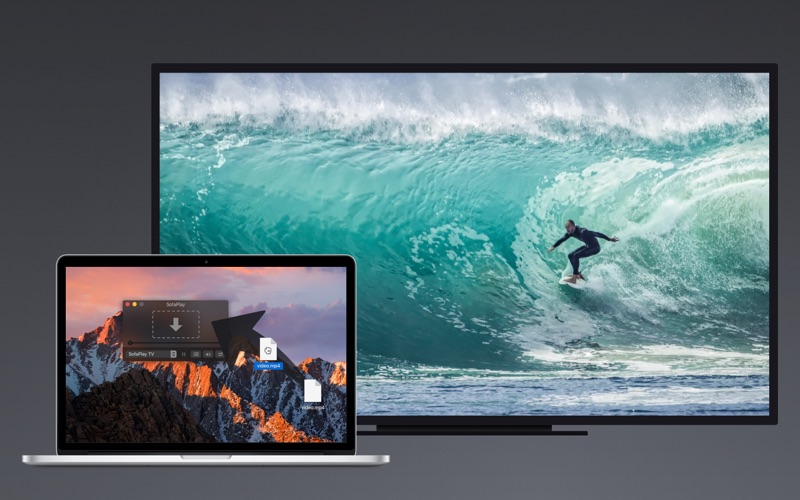
Developed by Fabian Pimminger, this lightweight utility belongs to the entertainment category and bridges the gap between your macOS device and the big screen. By leveraging your home network, it allows you to beam your favorite files directly to your television with a simple drag-and-drop gesture.
How SofaPlay Lite Mac Streaming Works
The beauty of this software lies in its absolute simplicity. There are no complicated configuration menus, network port configurations, or server installations required. Here is how easy the process is:
- Ensure your Mac and your Smart TV or Blu-Ray player are connected to the same home network (either Wi-Fi or Ethernet).
- Launch the application on your Mac.
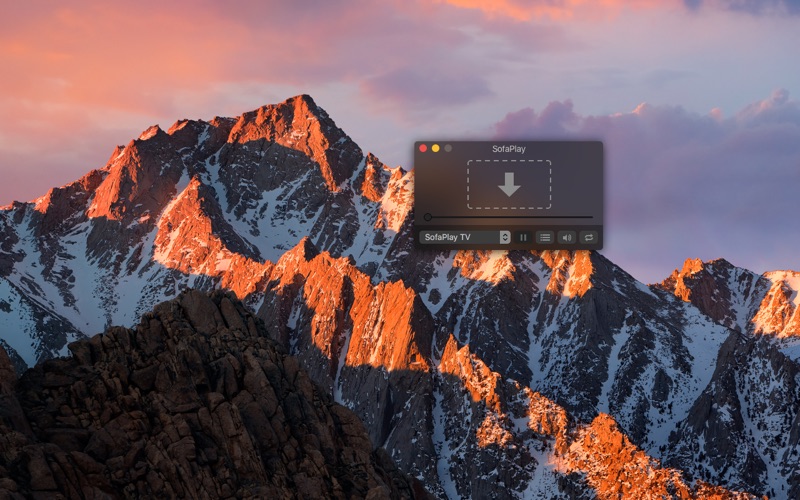
- Drag any compatible media file directly onto the interface.
- Lean back and watch your content appear instantly on your television.
Key Features and Device Compatibility
While designed to be lightweight, the app includes several modern integrations that enhance the user experience:
- Universal UPnP/DLNA Support: It connects seamlessly with any device supporting the Digital Media Renderer standard, which covers most modern Smart TVs and network-connected Blu-Ray players.
- Apple TV & Xbox One Integration: Stream your music and video files directly to your Xbox One or Apple TV (via the SofaPlay TV app available on the Apple TV App Store).
- MacBook Pro Touch Bar Support: Control your playback, pause, and navigation right from your keyboard's Touch Bar.
- Unlimited Photo Casting: Enjoy unlimited high-quality photo and image streaming to showcase your memories on the big screen.
Understanding the Lite Version Limitations
As a free tier designed to let you test compatibility, this edition offers unrestricted photo streaming so you can verify that your network and digital media renderer work perfectly. However, please note that video streaming is limited to a two-minute preview. This allows you to confirm audio and video synchronization before committing further.
Is It Right for You?
If you want a no-fuss, instant way to push media files from your Mac desktop to your living room TV without setting up a massive home server, this utility is an excellent fit. To see if your television is fully compatible and to try out the drag-and-drop streaming experience for yourself, head over to the official Mac App Store to download SofaPlay Lite.
Rate the App
User Reviews










Popular Apps










Editor's Choice